



 :
:|
Quantity
|
Out of stock
|
||
|
|
|||
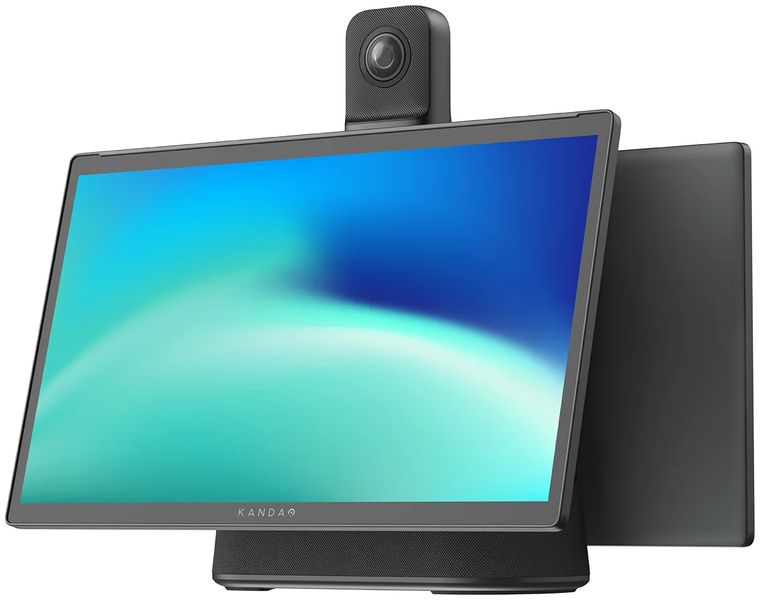
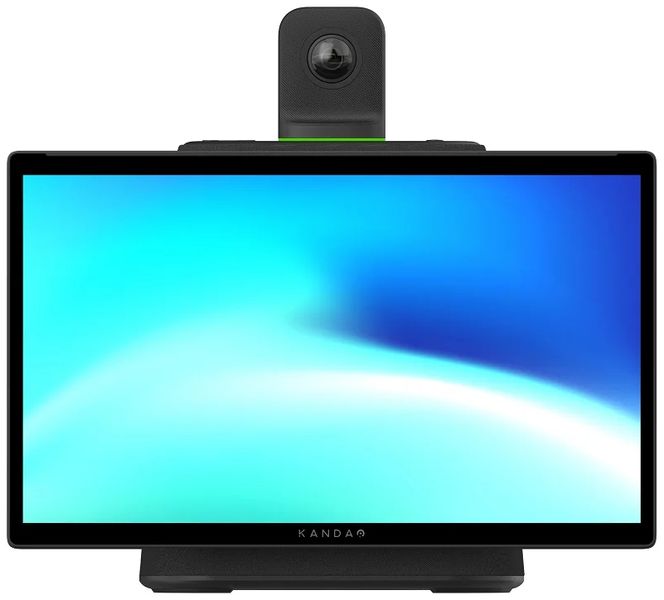
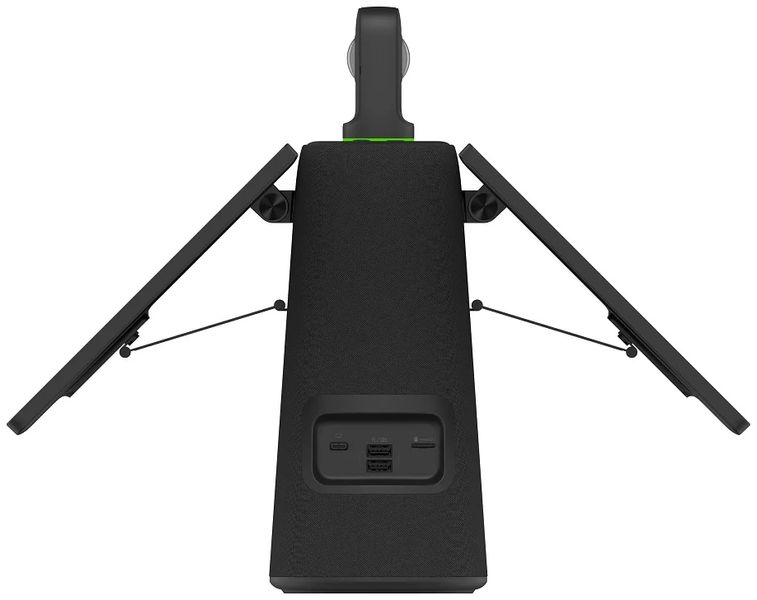
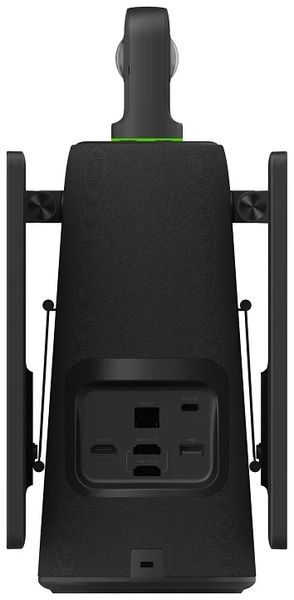
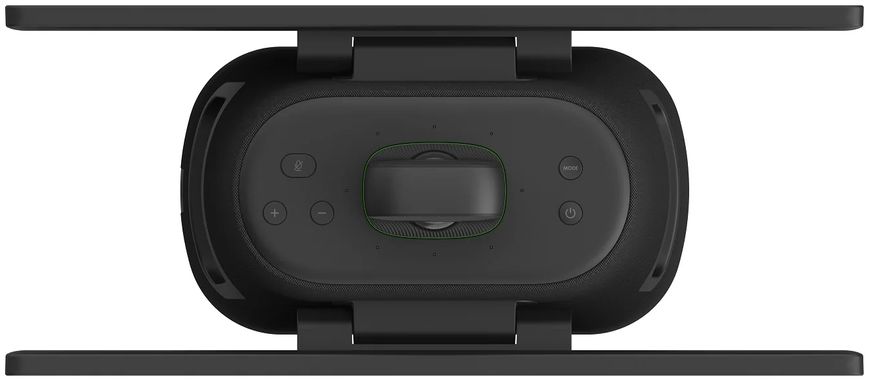
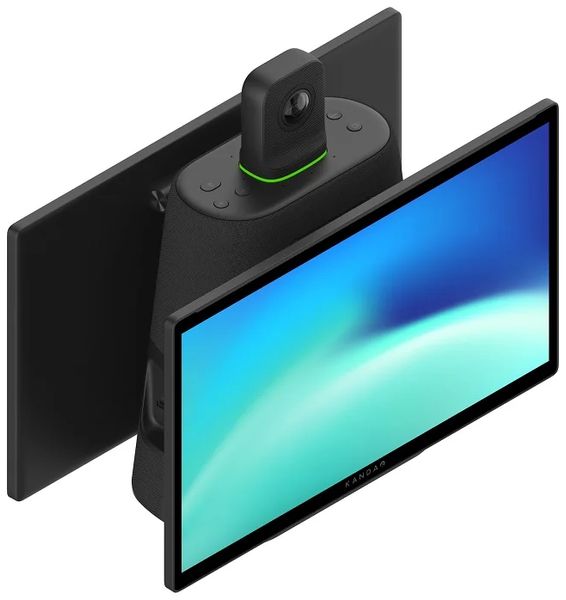
Kandao Meeting Ultra, a standalone all-in-one device with cameras, microphones, speakers, touch displays and Android OS. It can display video in up to 4K HDR format. With 2 FHD displays and 10-point capacitive touch, Meeting Ultra can not only display in high resolution, but also be controlled by touch. It has a more powerful AI 4.0 detection algorithm, a richer selection of conference modes and ambient noise suppression. Combined with built-in Android, where users can download video conferencing software directly to the device, creates the perfect solution for hybrid collaboration.
360° Full coverage for peer-to-peer conferencing
No need to huddle together in front of a single webcam. Each participant can be clearly seen and heard with two lenses that cover the entire meeting room and eight omnidirectional microphones, Kandao Meeting Ultra allows participants to join the meeting equally.
Get real-time feedback
Powerful CPU, GPU and NP ensure smooth conversation with stable data transmission, accurate human face and voice recognition, and also tracking low-latency talkers.
Speaker Detection Algorithm 4.0
Kandao Meeting Ultra features an updated AI detection algorithm 4.0, which can accurately locate and automatically recognize local meeting participants, especially an active person speaking, in ultra-low latency with 15-degree final recognition. The active speaker is always highlighted and placed in the center of attention for remote participants.
See ahead and be ahead
The placement of two FHD screens directly below the camera allows for greater efficiency in face-to-face collaboration, displaying the meeting right in front of you and showing remote participants the faces of local users.
Your idea is well communicated and heard
Kandao Meeting Ultra has a full-duplex audio system consisting of eight omnidirectional microphones and a 10-watt Hi-Fi speaker. This not only provides a wide range of voice capture within a radius of 5.5 meters, but also premium sound output to convey clear messages during remote meetings.
Ambient Noise Suppression
Even in noisy environments, voice can be transmitted well thanks to the brand new AI noise reduction algorithm. It eliminates distracting noises like keyboard typing, car horns, doors opening and closing, chair movements, knobs clicking, and noise from other equipment without affecting the clarity and quality of your voice, creating a focused meeting atmosphere.
Ultra Clear 4K Meeting with HDR
Say goodbye to blurry picture quality. Kandao Meeting Ultra streams 4K 30fps HDR video to eliminate overexposed images, even when conferencing near windows. The built-in noise reduction algorithm creates bright and clear hybrid meetings that have never been seen before.
Universal operating system with touch control
Thanks to two FHD displays and a 10-point capacitive touch screen, Meeting Ultra can not only be displayed in high definition format, but also controlled by touch. Combined with built-in Android, where users can download video conferencing software directly to the device, creates the perfect hybrid collaboration solution.
USB Mode
Connect Meeting Ultra to a computer with a USB cable to start hybrid collaboration with auto-framing.
Standalone Mode
This is an all-in-one dual-lens conferencing solution. 4K, a built-in operating system, two touch screens, an eight-microphone system, a Hi-Fi speaker and dual 4K lenses. You are ready to meet.
HDMI IN
Connect your computer to Kandao Meeting Ultra via HDMI IN to provide access to your computer screen.
Two HDMI outputs
Supports HDMI outputs to two external screens so everyone can see clearly in a large space. Device screens and external screens can be displayed separately to share screens while managing a meeting.
One-step screen mirroring from multiple devices
Eliminate messy wires with built-in screen mirroring. Support for Airplay and Miracast protocols means users can share screens from iOS, MacOS, Android and Windows devices.
Intelligent Conference Modes
Kandao Meeting Ultra has three discussion modes to frame multiple participants, focus on the main speaker and display all participants. The panorama from above is optional to show all participants. In the sections "View gallery" and "Speaker view" it can automatically adjust the view according to the detected number of participants.
Manual conference view settings
Highlight a specific speaker by manually panning the main split screen and zooming after the view is locked.
Additional top panorama
The top panorama is optional to show all participants.
Set Ignore Zone
You can mark the ignore zone and adjust its range to disable auto cropping.
FHD Dual Touch Control
Dual 15.6” Super-sensitive 10-point capacitive touch displays with built-in Android operating system make it easy for anyone to participate and interact.
Remote control
In large meeting rooms, participants don't have to sit around the camera, so a remote control is another option for managing meetings.
Conduct conferences on the platform you want selected
Zoom, Tencent Meeting, GotoMeeting, Skype, Teams, BlueJeans, DingTalk, Slack, Polycom, StarLeaf, Google Meet, Cisco Webex, etc.
Your data security guarantee
-
Address Security
Do not save IP address and location -
Leave No Trace
Support one-step logout. -
Prevent information leakage
Do not provide open API. -
Bluetooth Toggle
Bluetooth can disable.
Designed for small and large collaboration spaces
Meeting Ultra is designed for small and large collaboration spaces.
Network connectivity
In terms of connectivity, it can connect to any 5G access point to truly allow users to hold conferences anywhere or connect via LAN for ultra-low hybrid collaboration delay.
Auto-on
You can set it to automatically turn on after charging to greatly increase efficiency before a conference.